The Project That Started It
So few weeks back I was working on a project. I wanted to build an agent which basically remembers the steps it took not the user's memories, but its own memory. Kind of an RL algo where it remembers what went wrong.
So I thought of using mem0 for that. While using it I was on ChromaDB locally, later switched to Qdrant.
That's when I found that mem0's filter layer is actually not handling $not properly.
At first I thought I was passing the filter wrong. Then I opened the source and saw that mem0 actually doesn't really handle it basically Chroma doesn't have a direct NOT, so it used to just skip it.
The $not Bug
Before this change, if a user passed a filter containing $not, mem0's Chroma filter converter simply ignored it:
elif key == "$not":
    # Handle NOT conditions - ChromaDB doesn't have direct NOT, so we'll skip for now
    continue
That meant a query like:
filters = {
    "$not": [{"status": "archived"}]
}
did not exclude archived records. The $not condition was silently dropped, so the search could return memories the caller explicitly wanted to filter out.
No error. No warning. Just wrong results that look like right results.
The Fix
After the fix, mem0 converts $not into equivalent ChromaDB-compatible conditions using negated operators.
{"$not": [{"status": "archived"}]}
becomes:
{"status": {"$ne": "archived"}}
So archived items are now actually excluded. It also handles comparison and membership operators:
{"$not": [{"count": {"gt": 5}}]}
becomes:
{"count": {"$lte": 5}}
And:
{"$not": [{"status": {"in": ["archived", "deleted"]}}]}
becomes:
{"status": {"$nin": ["archived", "deleted"]}}
De Morgan's Laws for Compound Filters
This:
{"$not": [{"status": "archived"}, {"type": "draft"}]}
is treated as NOT(status = archived OR type = draft), so it becomes:
{
    "$and": [
        {"status": {"$ne": "archived"}},
        {"type": {"$ne": "draft"}}
    ]
}
And this:
{"$not": [{"status": "archived", "type": "draft"}]}
is treated as NOT(status = archived AND type = draft), so it becomes:
{
    "$or": [
        {"status": {"$ne": "archived"}},
        {"type": {"$ne": "draft"}}
    ]
}
I fixed it and raised a PR.
When I raised the PR I was skeptical will it get merged or not? Because I have already raised 2-3 PRs in the past in other OSS communities and they don't review it, even after tagging the maintainer. But then I saw Kartik. I didn't even tag him. He gave me feedback to work on, I implemented it, and that's it I had my PR merged in one of the biggest memory layers in the AI space.
He has a nice bot/automation which basically points out things and comments on PRs. I liked it, to be honest.
The Hybrid Search Surprise
Then I saw that some vector stores don't support keyword search. So when a user does hybrid search, he thinks it's hybrid but actually it is semantic only. No error, nothing. You just get a quietly degraded result set that looks fine.
So I added a warning there so the user knows, and raised a PR. It got merged.
Why I Built ragGuard
Now while doing all this I had seen an injection bug, an input validation bug the same shape of mistake showing up in different files.
So I thought: why not build an antivirus kind of thing for RAG apps and stores.
I've been using AI to write code for a long time whether it is Cursor, Windsurf, Claude Code, opencode, Cline, I used all of them. My favorites are Claude Code and opencode.
So I decided to build this using AI, as you know everyone uses it. I did and to my surprise, in a few hours I had a pretty decent project.
Now, I didn't know how to push a package to PyPI. I have pushed npm packages before, so I did as my junior dev (Claude) said. And boom in under 6 hours we had one version live on PyPI.
The name ragguard was already taken, so it's published as ragsec. Didn't love that, but that's alright.
Dude 400+ people downloaded it without me posting or promoting it anywhere.
pip install ragsec
What ragGuard Does
11 scanners covering the most common vulnerability patterns in RAG/LLM codebases:
HIGH severity:
- Filter Injection (CWE-94) — f-string interpolation in Milvus, Valkey, Azure, Elasticsearch filter expressions
- NoSQL Injection (CWE-943) — unvalidated dict values in MongoDB/Elasticsearch queries
- SQL Injection (CWE-89) — f-string SQL construction (INSERT, DELETE, SELECT, UPDATE)
- Hardcoded Secrets (CWE-798) — API keys (OpenAI, AWS, GitHub, GitLab, Slack), hardcoded passwords
- SSRF (CWE-918) — user-controlled URLs in requests, httpx, aiohttp, urllib
- Insecure Deserialization (CWE-502) — yaml.load without SafeLoader, marshal, jsonpickle, shelve
- Command Injection (CWE-78) — os.system/popen with f-strings, subprocess with shell=True
MEDIUM severity:
- Secret Logging (CWE-532) — API keys, passwords, connection strings in logger calls
- Auth Gaps (CWE-306) — FastAPI/Flask routes without auth (AST-based), client-controlled user IDs (IDOR)
- Insecure TLS (CWE-295) — verify=False, disabled cert validation, cleartext HTTP
- Resource Safety (CWE-502, MEDIUM-HIGH) — pickle deserialization, zip bombs, tar extraction, eval/exec
Run it against a codebase and it looks like this:
RAGGuard scanning ./my-rag-app

RG-001 [HIGH] Filter injection: Possible filter expression injection
  vector_stores/store.py:42
  > conditions.append(f'(metadata["{key}"] == "{value}")')

RG-002 [HIGH] NoSQL injection: Filter value passed into query
  vector_stores/mongo.py:89
  > filter_dict["payload." + key] = value

RG-003 [HIGH] Hardcoded secret: OpenAI API key
  config.py:12
  > OPENAI_KEY = "sk-proj-abc123..."

      Summary
+------------------+
| Severity | Count |
|----------+-------|
| HIGH     |    12 |
| MEDIUM   |     8 |
| LOW      |     5 |
| Total    |    25 |
+------------------+
Using It
# Terminal output (default)
ragguard scan ./path/to/codebase

# Generate reports
ragguard scan ./path/to/codebase --output report.md --format markdown
ragguard scan ./path/to/codebase --output report.html --format html
ragguard scan ./path/to/codebase --output report.sarif --format sarif

# Filter by severity or category
ragguard scan ./path/to/codebase --severity high
ragguard scan ./path/to/codebase --category filter-injection
SARIF output means it plugs into CI/CD and GitHub Code Scanning directly.
You can configure it with a ragguard.toml in your project root:
[ragguard]
ignore_paths = ["tests/", "migrations/"]
disable_scanners = ["secret-logging"]
min_severity = "MEDIUM"
And suppress a specific finding inline:
api_key = os.environ.get("OPENAI_KEY", "sk-hardcoded") # ragguard: ignore
What the Tool Found
I ran ragGuard against mem0 itself. It flagged more than 10 real bugs.
So I started raising PRs for each one. Kartik from the mem0 team reviewed my PRs, helped me improve them, and merged them. It brought back my confidence.
I dug deep in the mem0 repo. Now I have 36 merged PRs, few more pending.
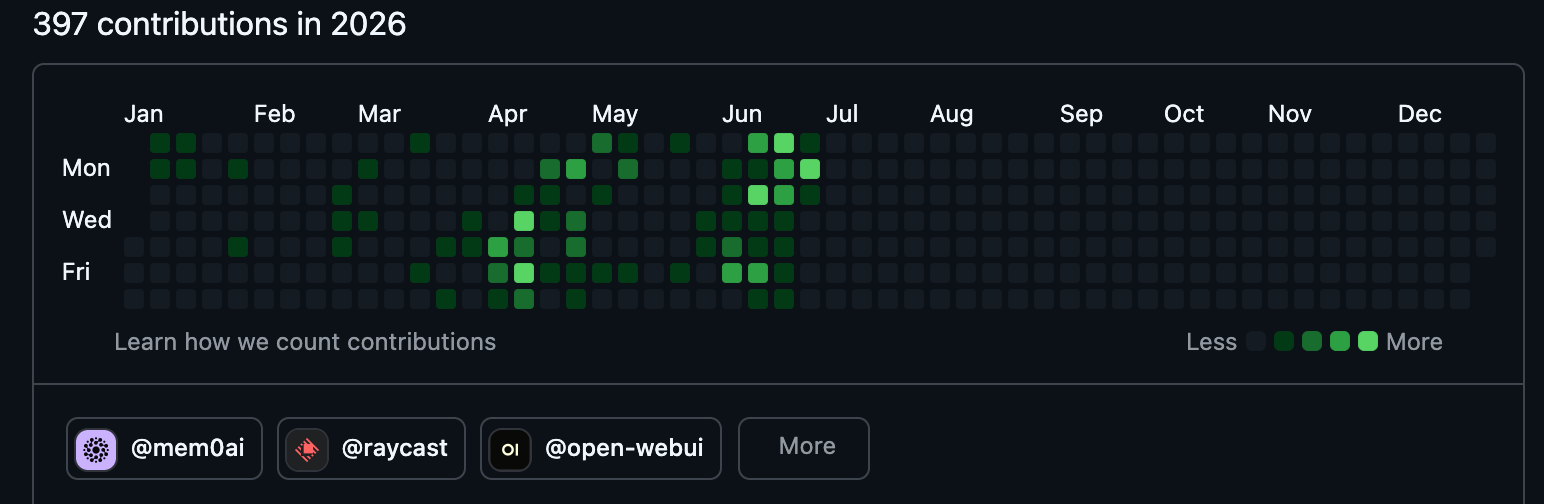
Kartik is a really nice guy he has merged my 36 PRs. His workflow pattern goes like this:
raise PR → changes requested → my fix → (bot) LGTM, ready for human review → squash-merge.
He's the first-pass reviewer who also does the actual merge.
Some feedback I got from him along the way:
- When I fix a bug in Python, check if the same exists in the TypeScript SDK and fix it in the same PR.
- I was actually just creating PRs (I'm not aware of the process and didn't read the CONTRIBUTING.md it's too big man), so he suggested: "please open an issue before making any kind of PR, it's easier for me to track and review."
- Regression tests he runs red/green on every PR (revert the fix, the test must fail). A missing regression test was the blocker on one of my PRs.
- Delete dead code I touch.
- Basic merge conflicts.
I learned a lot about how a repo should be maintained, how to raise PRs and review them. It made me a better engineer.
What Changed for Me
Before this, I used to think OSS contributions means: you find a repo, you check the issue list, you comment on it, and raise PRs.
But now it is different. It's simple you use an OSS product, and if you find any bugs or something, you fix it.
Not because you will get paid or get that 5 mins of fame, but to actually solve a problem. Like, I became a software engineer to solve problems and contribute to society, and this is the way of doing it. I may not be able to do it regularly or on a large scale, but contribution is contribution doesn't matter, small or big.
With that thanks to the mem0 team. I hope this blog reaches you. You have really nice engineers and a really great product, I love it. I read your research blogs, I really like the direction you are going in, and I'm hoping you will make another breakthrough.
Links:
- ragGuard on GitHub
- ragsec on PyPI —
pip install ragsec - My mem0 PRs
Questions or found a bug in the scanner itself? I'm on Twitter: @hrushi_tw